MLflow via Docker container
Running MLflow, including example/test population process, from Docker container
MLflow is a wonderful and important tool in the daily machine learning and data science workflow, and even its public domain version can take us really far. For realistic use though, it needs to be set up with a full database system (such as PostgreSQL) used as its backend, and a network shared filesystem for its artifact store, and one may want some access gating to prevent just anyone in the company from accessing it.
The setup in my aganse/docker_mlflow_db repo provides a get-running-quickly Docker-compose configuration using containers for MLflow, PostgreSQL, and NGINX. Run MLflow’s database in PostgreSQL, and put an NGINX reverse proxy in front of the MLflow website to allow some level of access restriction, while allowing one to very quickly put up the service on the spot (or take it down again for that matter).
The default configuration runs three containers: mlflow_db (PostgreSQL), mlflow_server (the MLflow tracking server), and mlflow_nginx (the reverse proxy, which is the only one exposed to the outside, on port 5000). By default MLflow gets its own standalone database instance, and both the database contents and the run artifacts (model files, plots, etc.) live in their own Docker volumes, so everything survives the containers being stopped and restarted. Other deployment patterns are covered by alternate docker-compose files in the repo’s compose_variations directory, any of which can be swapped in for the default. These let MLflow point at a pre-existing PostgreSQL database elsewhere (AWS RDS, say), and store artifacts in the local filesystem or an S3 bucket rather than a Docker volume.
See the repo’s README for details on setup and running this, including how to set up a pre-existing database, how to use an S3 bucket for artifacts, and how to add access control via NGINX.
Testing and development helpers
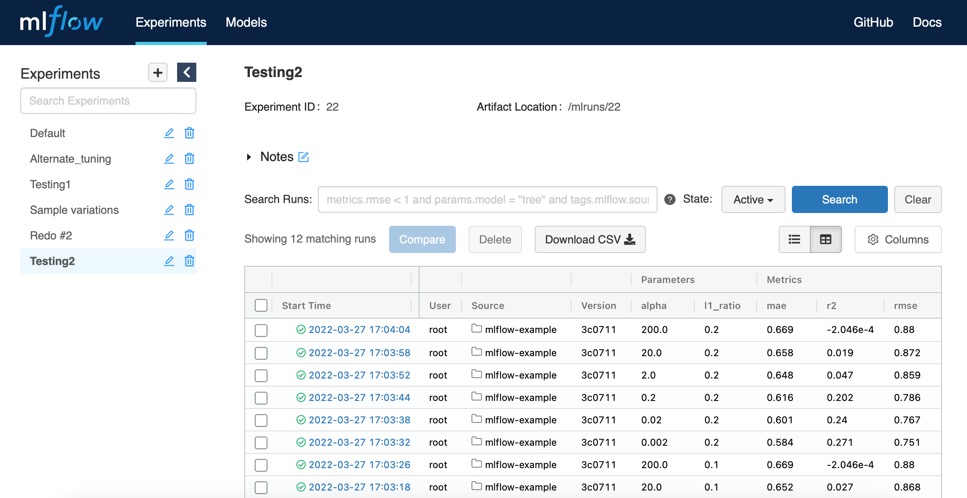
The Makefile has two macros that are really handy to me, and they may be to you too. make mlflowquickcheck simply lists the MLflow experiments as a connectivity test, answering the basic “is it working?” question. make mlflowpopulate runs MLflow’s small, quick-running mlflow-example project to fill a freshly spun-up instance with sample experiments and runs. That’s very useful for testing other tools against a realistic-looking MLflow (such as my vim-mlflow plugin).
Security/access
The NGINX layer is there so that access control can be added in one place. An htpasswd file in the NGINX container can give simple logins for a workgroup already behind a company firewall, or one can set up full certificate-based HTTPS, or swap in another reverse proxy such as Caddy. No secure access is implemented in the repo itself. It’s important to remember that open-source MLflow has no user logins of its own and is fundamentally insecure, so this setup is meant for individual or small-group use inside a firewalled intranet, or wrapped in a properly secured outer layer.
Newer MLflow versions also offer a built-in basic-auth option (mlflow server --app-name basic-auth), which adds per-user permissions on individual experiments and registered models, something the all-or-nothing NGINX htpasswd gate can’t do. However, its checks are applied endpoint by endpoint, and some endpoints have been found unprotected, whereas the proxy approach here via NGINX gates every request and remains the natural place for TLS, IP restrictions, or SSO to be added later. I personally still find the NGINX approach more flexible and easier to manage, but the newer built-in basic-auth option is a good step forward for MLflow itself.
Related projects
This repo is one of a trio of independent but complementary tools: this MLflow server setup; py_tf2_gpu_dock_mlflow, a ready-to-run Python/TensorFlow2 setup for training models on GPU and logging them to MLflow; and the vim-mlflow plugin for browsing MLflow runs from within Vim. The initial implementation was based on Guillaume Androz’s 2020 Towards Data Science post, “Deploy MLflow with docker compose”.